Access modes
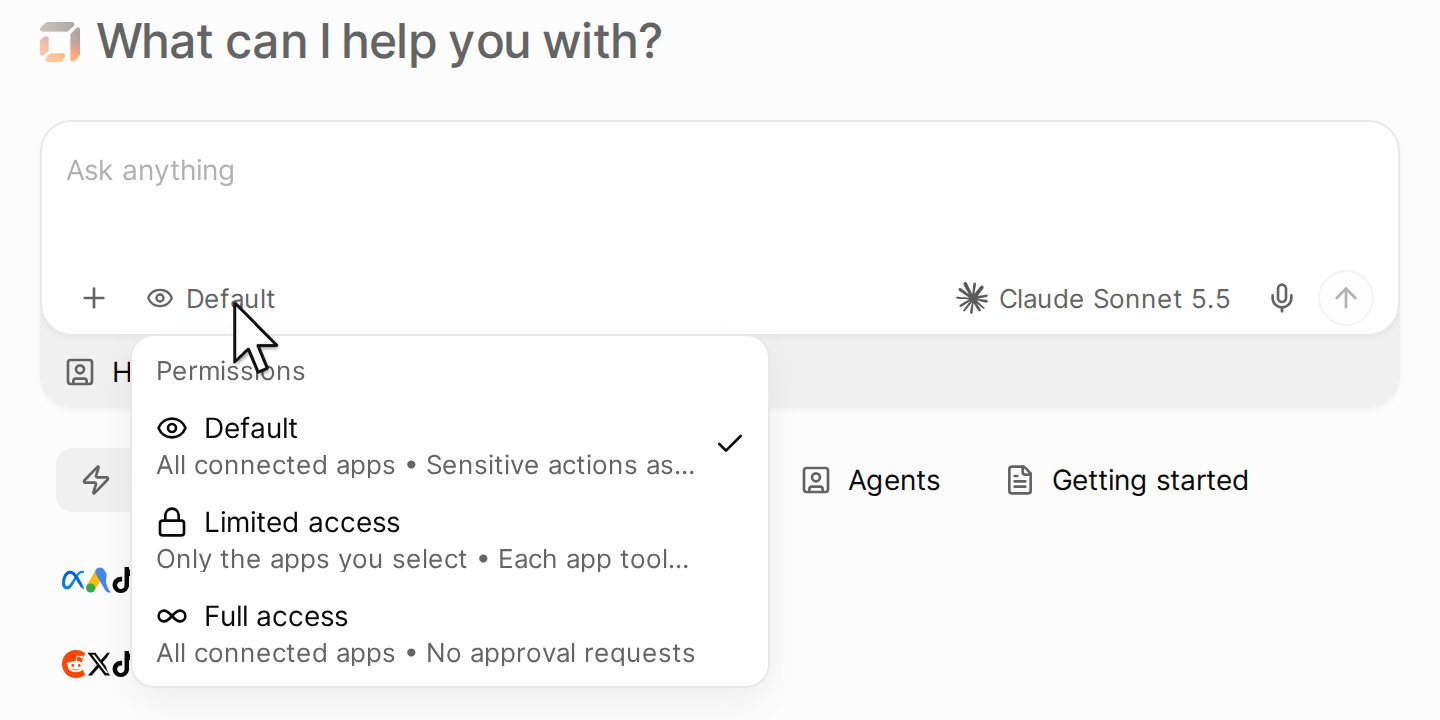
Click the mode in the message box. A new chat starts in Default, or in Limited access when the agent has selected apps.
Approval requests
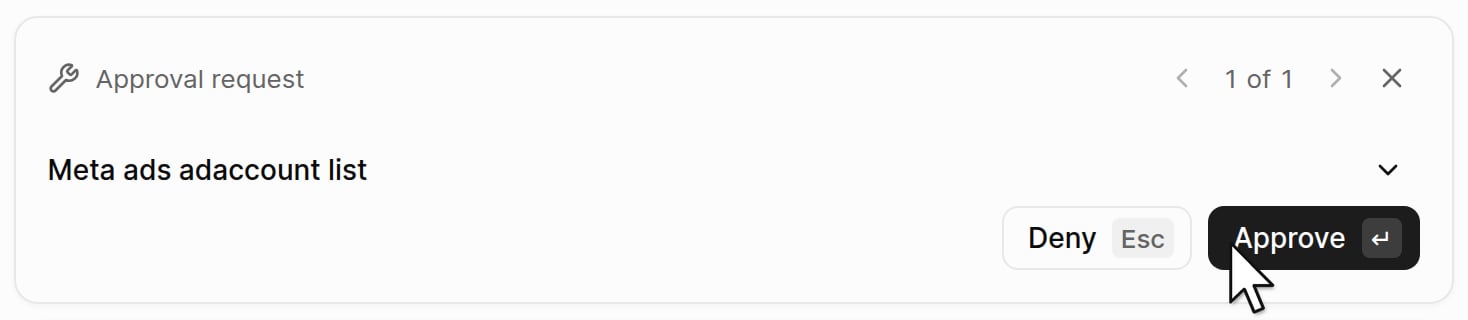
When the agent asks, a request appears above the message box.
Documentation Index
Fetch the complete documentation index at: /docs/llms.txt
Use this file to discover all available pages before exploring further.
Choose which apps an agent can use and when it asks you first.

| Mode | Apps the agent can use | When it asks |
|---|---|---|
| Default | All connected apps | Before a sensitive action, for example before it sends an email |
| Limited access | Only the apps you select: click the plus button, then Add apps. Hyper saves the selection on the agent. | Each tool of an app asks until you allow it |
| Full access | All connected apps | It does not ask. Use another mode when a wrong action costs money, for example a change to an ad budget. |

| Choice | What it does |
|---|---|
| Approve | Lets this one action run |
| Deny | Stops this one action |
| Always allow this tool, under the arrow next to Approve, in Limited access | Lets the action run and stops the requests for that tool. Hyper saves the choice on the agent when you can edit the agent; when you cannot, it holds for this chat. |
| Approve all, under the same arrow, when more than one request waits | Approves each request that waits |